
Understanding and Managing Your Product Backlog

Photo by Anastasia Shuraeva on Pexels.com

Section 1: Overview of the Product Backlog

The Product Backlog is an essential tool for Agile software development teams. It is an ordered list of items that represent the features, enhancements, and fixes that the team plans to work on. The Product Backlog consists of Product Backlog Items (PBIs), which are organized based on their priority and level of detail.

PBIs are classified into four types: Themes, Epics, User Stories, and Tasks. Themes are long-term goals or high-level business objectives. Epics are substantial PBIs that need to be broken down into smaller user stories. User Stories are single, meaningful PBIs that can be completed within a sprint. Tasks are the specific tasks required to achieve a user story.

Section 2: Building Your Product Vision and Product Goal

The Product Vision describes the desired future state or result of a product. It sets a clear objective for the development team and stakeholders, guiding their actions and choices throughout the product development journey. The Product Goal represents a target for the Scrum Team to align their planning efforts. It encapsulates the long-term objective that the Scrum Team aims to achieve, emphasizing the need to complete or abandon one objective before pursuing the next.

Section 3: Creating Product Backlog Items (PBIs)

To create good PBIs, you can follow the INVEST acronym, which outlines key characteristics of well-formed and effective user stories. PBIs should be independent, negotiable, valuable, estimable, small, and testable. Each PBI should be self-contained and able to be worked on and delivered separately from other PBIs. PBIs should be open to discussion and collaboration between the development team and stakeholders. Each PBI should deliver value to the customer or end-user. PBIs should be able to be estimated in terms of effort or complexity. PBIs should be small enough to be completed within a single sprint or iteration. Each PBI should have clear acceptance criteria that can be used to verify its successful completion.

Section 4: Checking the Quality of PBIs

The 3C Model provides a framework for creating and refining PBIs. It emphasizes three key aspects: Card, Conversation, and Confirmation. The PBI is represented by a physical or virtual card that captures the essential information about the item. The card serves as a catalyst for a conversation between the development team and the stakeholders, discussing implementation details and clarifying any questions or concerns. The confirmation step involves defining specific acceptance criteria or tests that must be met for the PBI to be considered complete.

Section 5: Balancing the Product Backlog Prioritization

The product backlog prioritization quadrants offer a useful tool for managing and prioritizing the items in a product backlog. The quadrants help the Product Owner and the team strike a balance between different types of backlog items and make informed decisions about their sequencing. The quadrants divide the backlog into four quadrants: new features, architectural innovation, support, and technical debt.

Section 6: Managing the Quality of Product Backlog

The DEEP acronym provides guidance for managing the Product Backlog in Agile software development. The items at the top of the Product Backlog should be detailed enough to provide a clear understanding of what needs to be done. The Product Backlog is not fixed or set in stone and should evolve and emerge as new information and insights become available. Each item in the Product Backlog should have a relative estimation of its effort or complexity. The Product Backlog should be prioritized based on the value and importance of the items.

Section 7: Product Backlog Refinement

Product Backlog Refinement is the process of breaking down and further defining Product Backlog items into smaller, more precise items. It is an ongoing activity to add details, such as a description, order, and size. Refinement sessions should occur at least once per Sprint to ensure the Product Backlog remains current and actionable. The Product Owner, Scrum Master, and Developers can initiate refinement sessions whenever necessary to maintain the Product Backlog’s quality and ensure a shared understanding of the upcoming work.

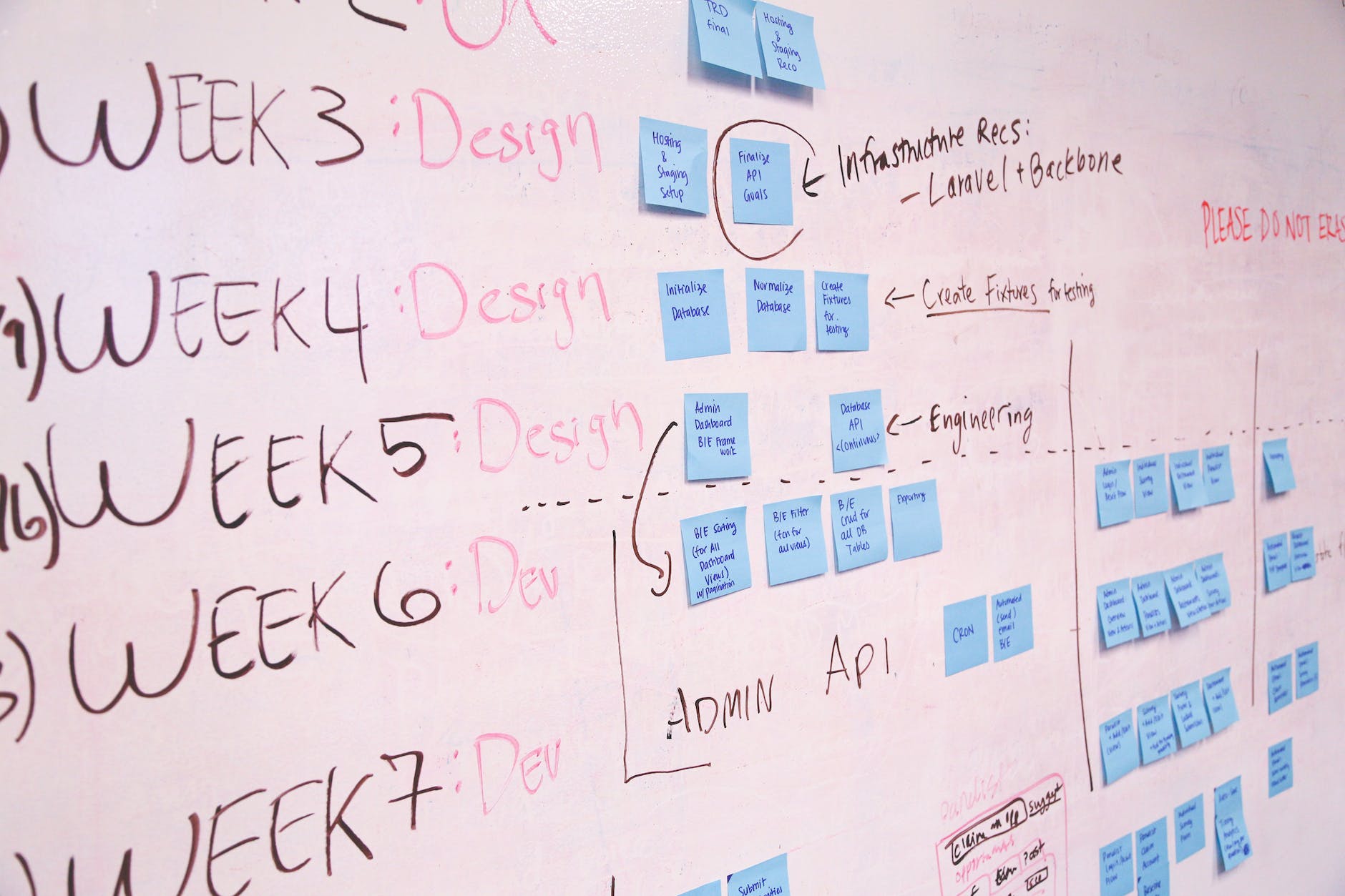
Best Practices for Creating a Strong Product Backlog

Photo by ThisIsEngineering on Pexels.com

At the core of every successful agile project lies a well-defined product backlog. This list includes all the items that need to be delivered as a part of the solution, and it is typically made up of features, requirements, or user stories. These items are ranked in order of importance to the customer or the business. Think of it like a shopping catalog, where you circle the things you want, but not everything is guaranteed to be delivered.

The product backlog can be stored in a variety of formats, such as a spreadsheet, a requirements management tool, or even a physical list. What’s important is that it’s consistently maintained and adjusted as needed. A well-defined product backlog ensures a smooth flow of work and helps to prioritize tasks in order of business value. It also helps to eliminate unnecessary work by identifying items that are no longer required.

To ensure that your product backlog is well-defined, keep in mind the acronym SMART:

Specific

Each item on the product backlog should be specific and clear, outlining what needs to be accomplished and why it’s important. For example, instead of listing “Improve website usability,” you might list “Reduce the number of steps required to complete a purchase on the website from 5 to 3.” The more specific your item is, the easier it is to determine its relevance and priority.

Measurable

In order to track progress and prioritize work, each item on the backlog should be measurable. This means that you should be able to quantify the work required and estimate how long it will take to complete. For example, you might estimate that reducing the number of steps to complete a purchase will take 2 weeks of development time. By estimating the time required for each item, you can accurately predict the completion date and make more informed decisions.

Achievable

While it’s important to dream big, each item on the backlog should also be achievable within the constraints of your team and resources. Make sure that each item is realistic and can be accomplished with the time and resources you have available. Setting unrealistic goals can lead to frustration and ultimately, project failure.

Relevant

Only items that are relevant to the project’s goals and objectives should be included in the product backlog. This means that each item should be tied to a specific business need or customer problem that needs to be addressed. By keeping the backlog relevant, you can ensure that your team is working on tasks that are aligned with the project’s goals.

Time-bound

Finally, each item on the product backlog should be time-bound and have a clear deadline or target completion date. For example, you might set a goal to complete the website purchase improvement project within the next 3 months. By setting clear deadlines, you can motivate your team and ensure that each item is completed in a timely manner.

By following these guidelines and creating a SMART product backlog, you’ll be well on your way to delivering a successful project. Remember, a well-defined product backlog is an essential part of any successful project, and it ensures that your team is working on tasks that are aligned with your project’s goals and objectives.


Product Backlog vs. Work Breakdown Structure

product backlog and scrum
Photo by Startup Stock Photos on Pexels.com

Product Backlog and Work Breakdown Structure (WBS) are two important planning tools used in project management. Although they are similar in some ways, they differ in their scope, purpose, and level of detail.

Product Backlog

A Product Backlog is a prioritized list of features or requirements that a team plans to deliver in a project. It is a dynamic document that is updated continuously throughout the project lifecycle. The Product Backlog is owned by the Product Owner, who is responsible for prioritizing the items based on their value to the customer.

The Product Backlog helps the team to understand and plan what they need to deliver. It is a high-level view of the project that provides a big picture of what the product will look like. The items in the Product Backlog are not broken down into smaller tasks.

Work Breakdown Structure (WBS)

A Work Breakdown Structure (WBS) is a hierarchical decomposition of the project deliverables into smaller, manageable components. The WBS breaks down the project into smaller, more manageable pieces that can be estimated and scheduled. Each component of the WBS is called a Work Package.

The WBS is a detailed view of the project and is used to plan and manage the project execution. It is owned by the Project Manager, who is responsible for ensuring that the project is completed on time, within budget, and meets the quality standards. The WBS includes all the tasks required to complete the project and is used to track progress and identify potential issues.

Differences

The main differences between Product Backlog and Work Breakdown Structure are:

  • Scope: Product Backlog focuses on the high-level view of the project, while WBS focuses on the detailed view of the project.
  • Purpose: Product Backlog is used to prioritize the features or requirements to be delivered, while WBS is used to plan and manage the project execution.
  • Level of Detail: Product Backlog does not break down the items into smaller tasks, while WBS breaks down the project into smaller, manageable components.

In conclusion, both Product Backlog and Work Breakdown Structure are important planning tools that are used in project management. While they have some similarities, they differ in their scope, purpose, and level of detail. Understanding these differences is crucial for effective project planning and execution.